
MENU
Sites
The Sites component in Site Stacker is where an admin can manage the domains used for the website especially if the Site Stacker installation has multiple websites in it.
Managing Site Domains
Open
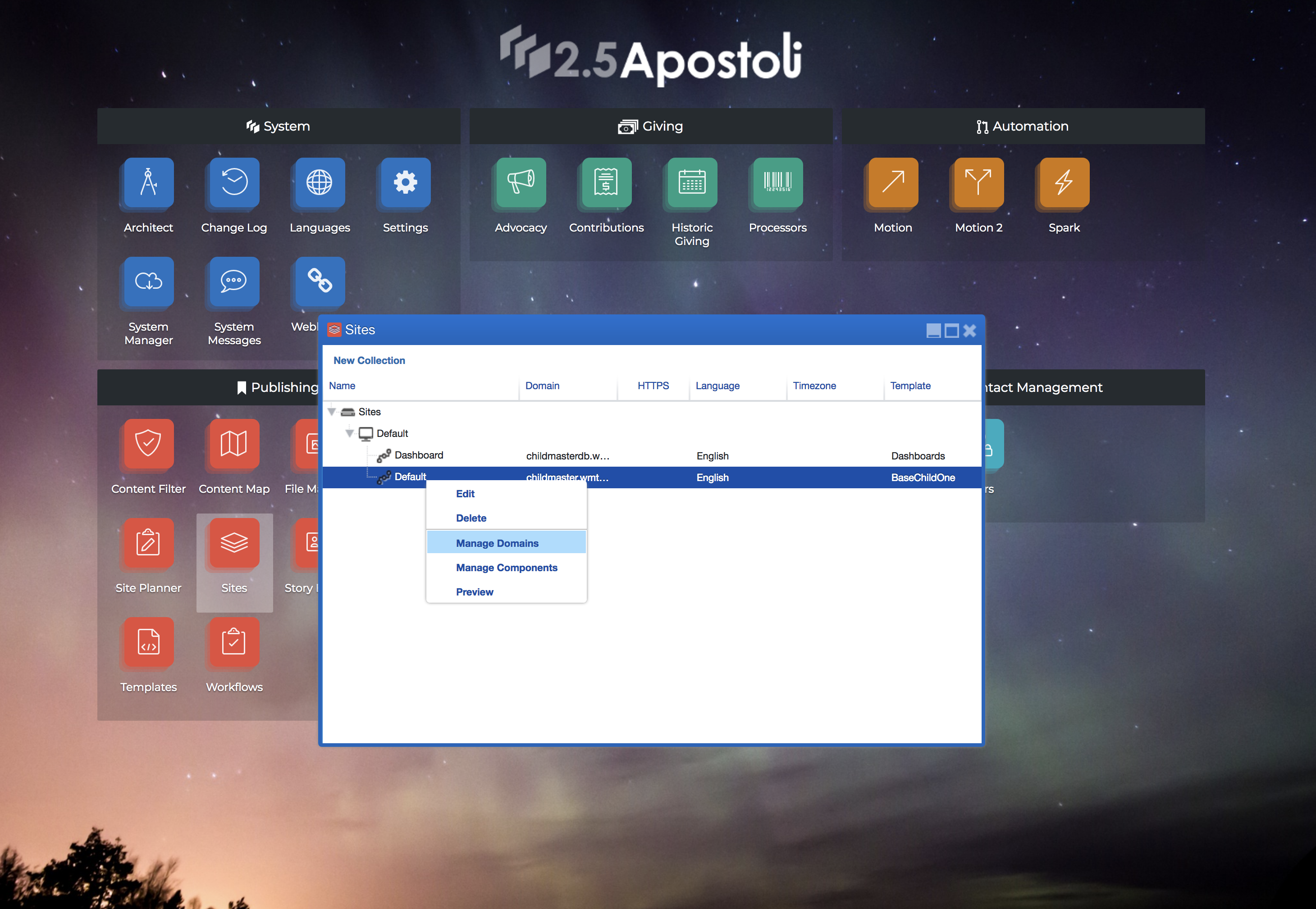
1. In the admin view, click the ‘Sites’ component. Now, expand the Site Channel that needs updating. Right-click on the Site Channel and click ‘Manage Domains’.
Open
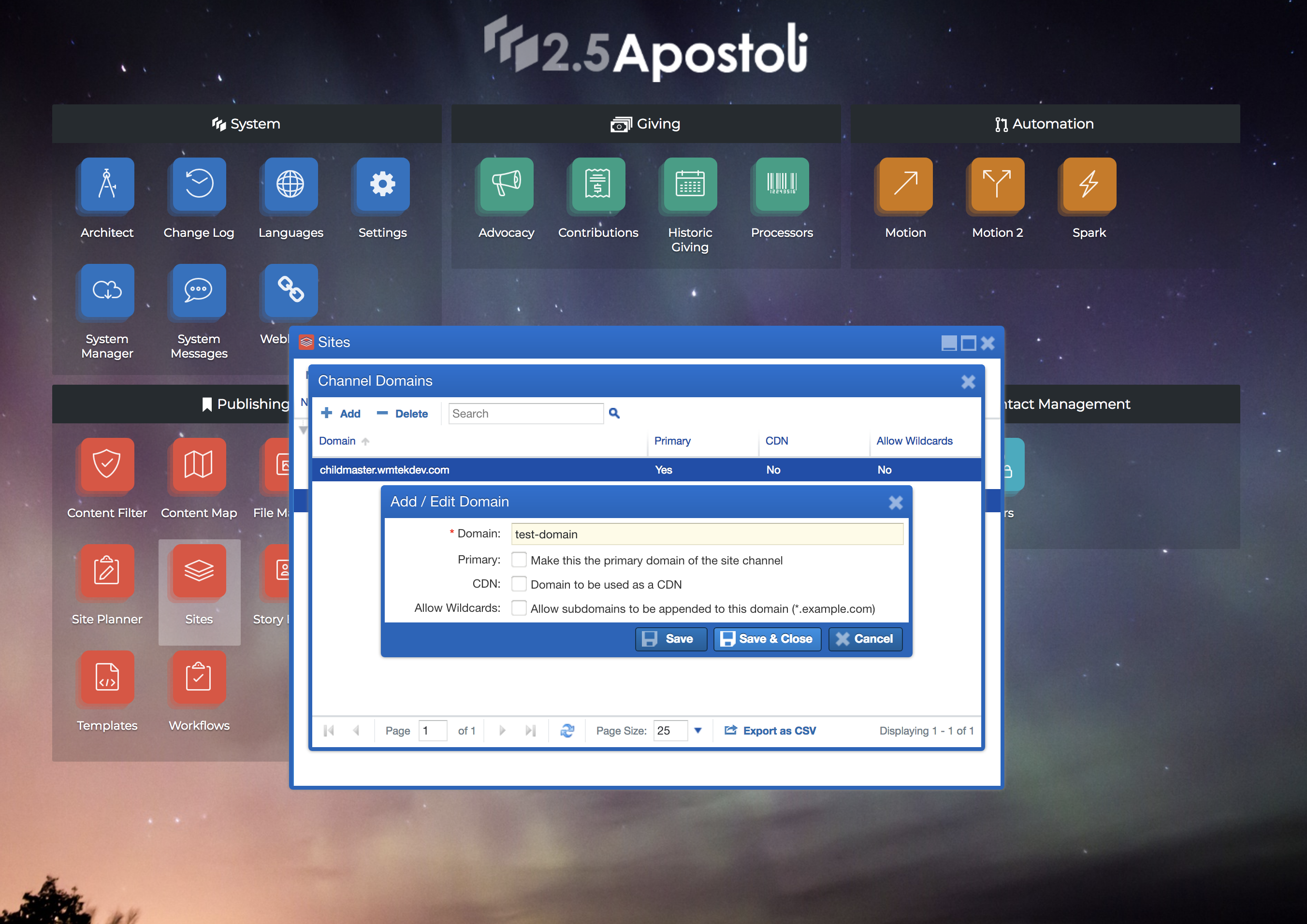
2. Now an admin can add or update a domain for the Site Channel. Once that is done, click on ‘Save & Close’.
Learn more at: |
WWW.WMTEK.COM 3690 North US Highway 1 Fort Pierce, FL 34946
772-567-9824
|